How to Set Up Comment-to-DM Automation on Instagram
Direct Answer
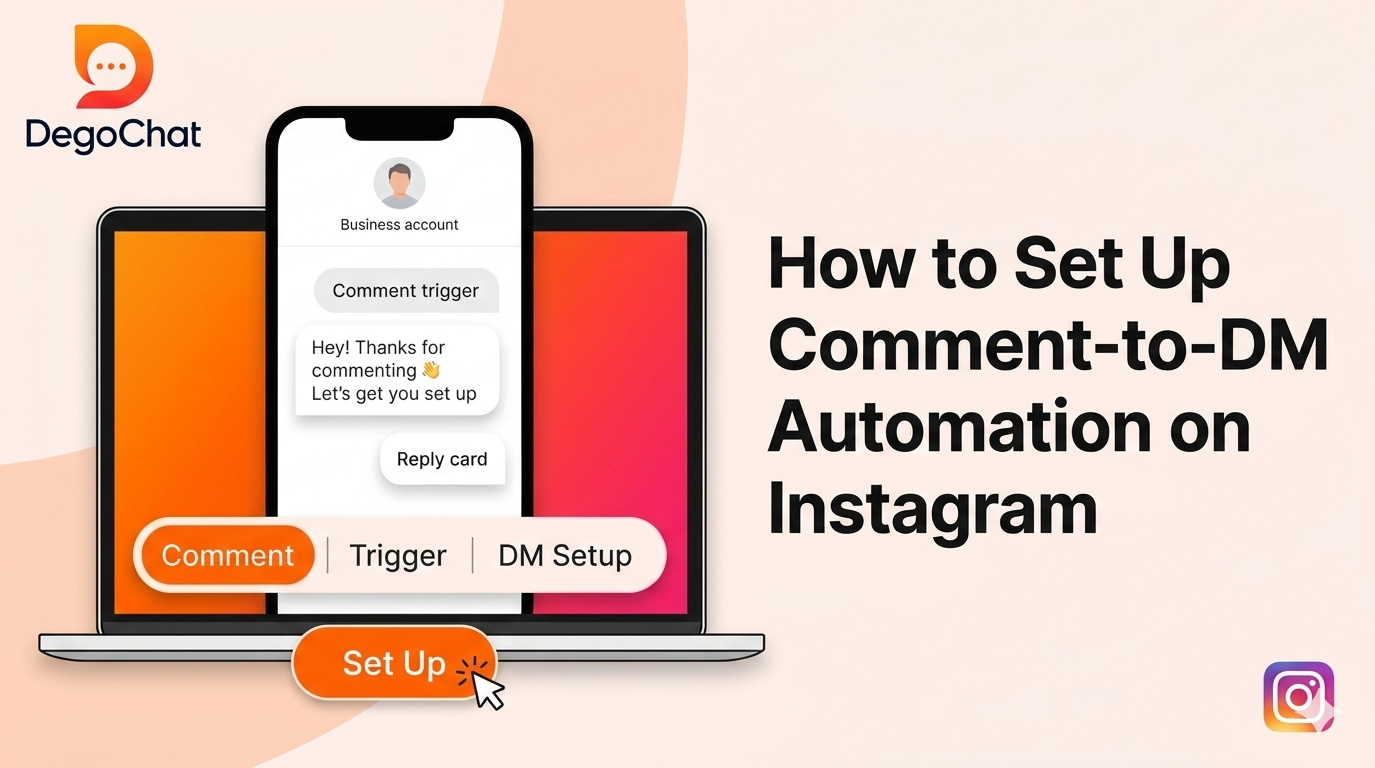
Comment-to-DM automation is a system that sends an automatic DM to anyone who leaves a specific comment (or keyword) on your post or Reel. You can set it up directly from Meta Business Suite for the basics, or use a dedicated tool if you want extra features like follow gates and email capture. The only requirement is a Business or Creator account, plus compliance with Meta's 24-hour messaging window and 200-message-per-hour automation limit.
The Problem
If you run a business or create content on Instagram, you've probably hit this wall: a post takes off, you get 50 or 100 comments asking about pricing or requesting a link, and there's no way to reply to everyone in time. Within a couple of hours, half of those people have already moved on and made a decision somewhere else, without you. The problem isn't that you're falling behind on engagement — it's that manual replies simply can't scale fast enough as comment volume grows. And that's exactly how a ready-to-buy customer slips away, just because they never got an instant response.
Solution Steps
- 1
Switch your account to Business or Creator — without this, no official automation will work at all.
- 2
Connect your account to a Facebook Page through your account settings — this is required to access automation tools through Meta Business Suite.
- 3
Open Meta Business Suite, go to the "Automations" section, and choose "Instant Replies" or "Keyword Replies" depending on what fits your case.
- 4
Set the trigger keyword (like "INFO" or "PRICE") and the message you want sent when someone comments it.
- 5
If you need advanced features (email capture, follow gates, multi-step sequences), use a third-party tool officially compliant with the Meta API instead of the native setup.
- 6
Test the automation yourself on a sample post before activating it on a live post, to confirm the message actually delivers correctly.
Common Mistakes to Avoid
- ✕
(technical setup): Many people use a personal account instead of a Business account — and as a result, the automation simply doesn't work. Fix: Switch to a Business or Creator account first; this is a requirement, not optional.
- ✕
(strategy/usage): Some accounts set an overly generic trigger keyword like "yes" or "ok," which causes many unrelated comments to trigger unintended messages. Fix: Use a clear, specific keyword, like a product name or "GUIDE."
- ✕
(unrealistic expectations): Some people assume automation can message anyone at any time with no limits. Fix: Understand there's a hard cap of 200 automated messages per hour, and the reply window stays open for only 24 hours after the user's last interaction.
When You Need a Tool
Native automation through Meta Business Suite is a solid starting point, but once your business grows and you need to capture emails, set up a follow gate (requiring a follow before delivering a link), or track automation results with real numbers, a dedicated tool starts to make a real difference — since these tools are built on the same Meta API, just with far more flexibility.
Deep Dive
The core Meta rules you need to know before setting up automation
As of 2026, Meta has set clear rules for any Instagram automation:
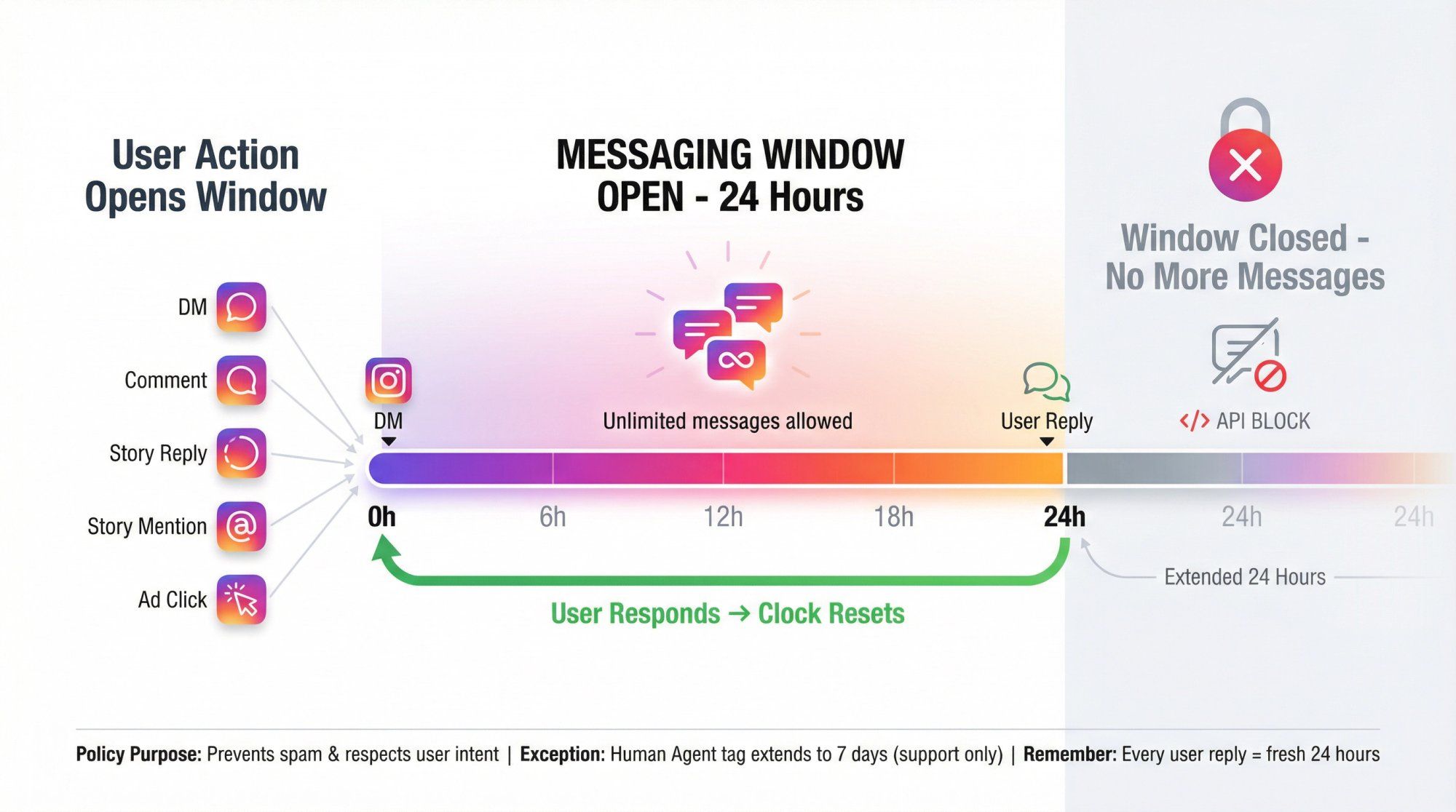
the 24-hour window — you can send automated messages to someone for 24 hours after their last interaction (a comment, Story reply, or DM), after which the window closes until they engage again.
The 200-messages-per-hour cap — no account can send more than 200 automated messages per hour, even if a post goes viral.
One message per person per 24 hours from the same trigger (comment or Story) — meaning you can't send more than one automated message to the same person from the same post in a single day.
Why foreign tools get more expensive as your followers grow
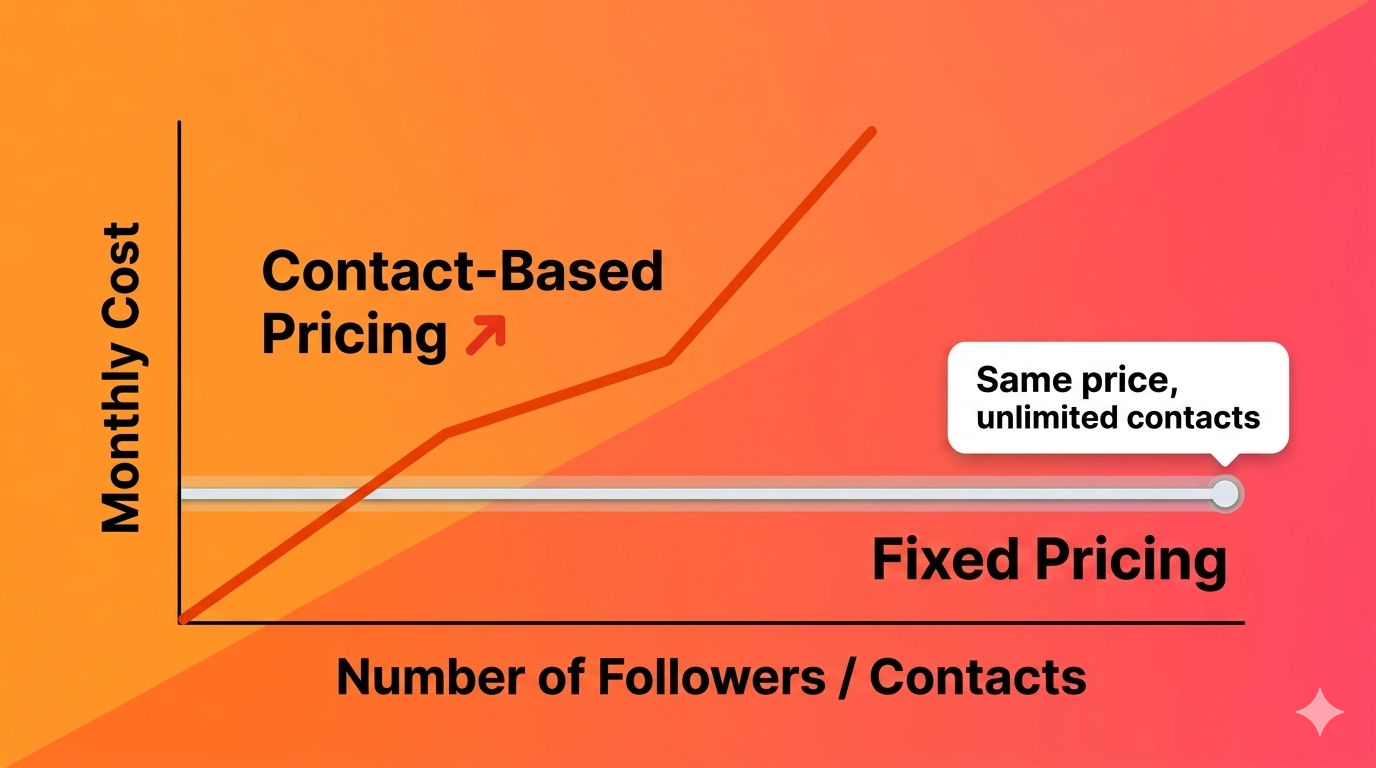
Most global automation tools price based on the number of contacts stored in your account. That means every new follower or customer you gain automatically increases your monthly bill — even if your actual usage of the tool barely changes. This is a fundamental difference from a flat-pricing model, where the cost stays the same regardless of how many contacts you have.
Why DegoChat
DegoChat offers a fixed monthly price with no link to contact count, directly solving the rising-bill problem you'd otherwise face as your account grows. The follow gate is a core feature of the tool, letting you require a follow before someone receives a link or offer.
Frequently Asked Questions
Is comment-to-DM automation on Instagram allowed by Meta?
Yes, as long as it's done through the official Meta Graph API, or approved tools that use the same API. What's not allowed is tools that ask for your account password directly or rely on scraping.
Can I send an automated message to a new follower without them interacting first?
No, this isn't officially available yet. Meta is still testing this feature in beta, and any tool claiming to do this directly is likely using a non-compliant method.
What's the maximum number of automated messages I can send per hour?
The hard limit as of 2026 is 200 automated messages per hour per account, plus a cap of one message per user per 24 hours from the same trigger.
If someone replies after the 24-hour window, does it reopen?
Yes, every time the user sends a new message, the 24-hour counter resets and starts again from the time of their latest message.
Related Articles
How to Automate Replies to Instagram Comments and Save Time Sending Messages: The Complete 2026 Guide
Sep 15, 2026
Generating Leads from Instagram, What Really Works?
Aug 18, 2026
Degochat vs ManyChat: Which One Should I Use for Instagram Automation?
Jul 6, 2026
Grow Your Account
Get ideas and updates to help you grow your Instagram account.