How to Collect Leads from Instagram ,The Complete 2026 Guide
Direct Answer
You can collect leads from Instagram by offering valuable content or an offer that benefits your audience, then using a clear call-to-action that asks them to comment or send a private message. After starting the conversation, collect email or contact information with user consent, categorize leads based on their interest, and track results. Having many views or followers is not enough; there must be a clear step to convert interaction into followable data.
The Problem
Your account may receive many views and comments without converting these interactions into leads that can be followed up on. This happens when the content lacks a clear offer or when the user is asked to navigate through multiple links, messages, and steps without a simple path explaining what they will get in return for sharing their data. Relying on manual responses also makes it more difficult to send links, collect email addresses, and categorize interested individuals as interaction increases. The result is the loss of some opportunities within comments and messages, and the lack of an organized database to identify those who showed genuine interest and need follow-up.
Solution Steps
- 1
Start by determining what you will offer in exchange for contact information, such as a brief guide, initial consultation, or a suitable offer for your audience. Make the value clear and related to a real problem, and predefine the data you really need, such as email or other details, so you don't ask for more information than necessary.
- 2
Create content directly related to the offer, then use a clear call-to-action that asks the user to write a specific word in the comments or send a private message. Explain what they will get after taking the step, and avoid long instructions so they can easily move from viewing content to starting a conversation.
- 3
Convert the comment or message into a private conversation, then directly and understandably ask for contact information after providing the agreed-upon value. You can collect email addresses within the conversation or direct the user to a short form, explaining why the data is requested and how it will be used for follow-up.
- 4
Save lead data and categorize them based on their source and level of interest, such as the type of content they interacted with or the service they inquired about. This organization helps you follow up with each group with an appropriate message, rather than treating all interested parties the same way or losing their data within conversations.
- 5
Track the number of comments, conversations, and collected data, and compare results based on the type of content and offer used. This helps you understand where users are stopping within the path and then improve the call-to-action, message, or form instead of just increasing content without knowing what achieves the best response.
Common Mistakes to Avoid
- ✕
Running a lead collection path without testing the link, message, or data form may result in losing interested individuals before they complete the required step. The correct alternative is to test the entire path from another account, ensuring the message arrives, the data request is clear, and the link or form works before publishing the content.
- ✕
Requesting email or contact information before explaining the benefit may make the user hesitant or leave the conversation. The correct alternative is to provide clear value first, then explain why the data is requested and relate it to the next step, so the user feels that sharing their information is a logical part of the experience and not a sudden request.
- ✕
Expecting every comment or message to turn into a ready-to-buy lead may lead to an unrealistic evaluation of results. The correct alternative is to measure the quality of leads, follow up with those who shared their data or showed clear interest, and then gradually improve the content, offer, and follow-up path instead of relying solely on the volume of interaction.
When You Need a Tool
You can manually collect a limited number of leads when comments and messages are few, but automation tools become useful when sending content or collecting email addresses and categorizing interested individuals is repeated. Automation helps convert comments into conversations, organize data, reduce delays and errors, while keeping final follow-up and appropriate communication the responsibility of the account owner.
Deep Dive
What is the difference between engagement and a lead on Instagram?
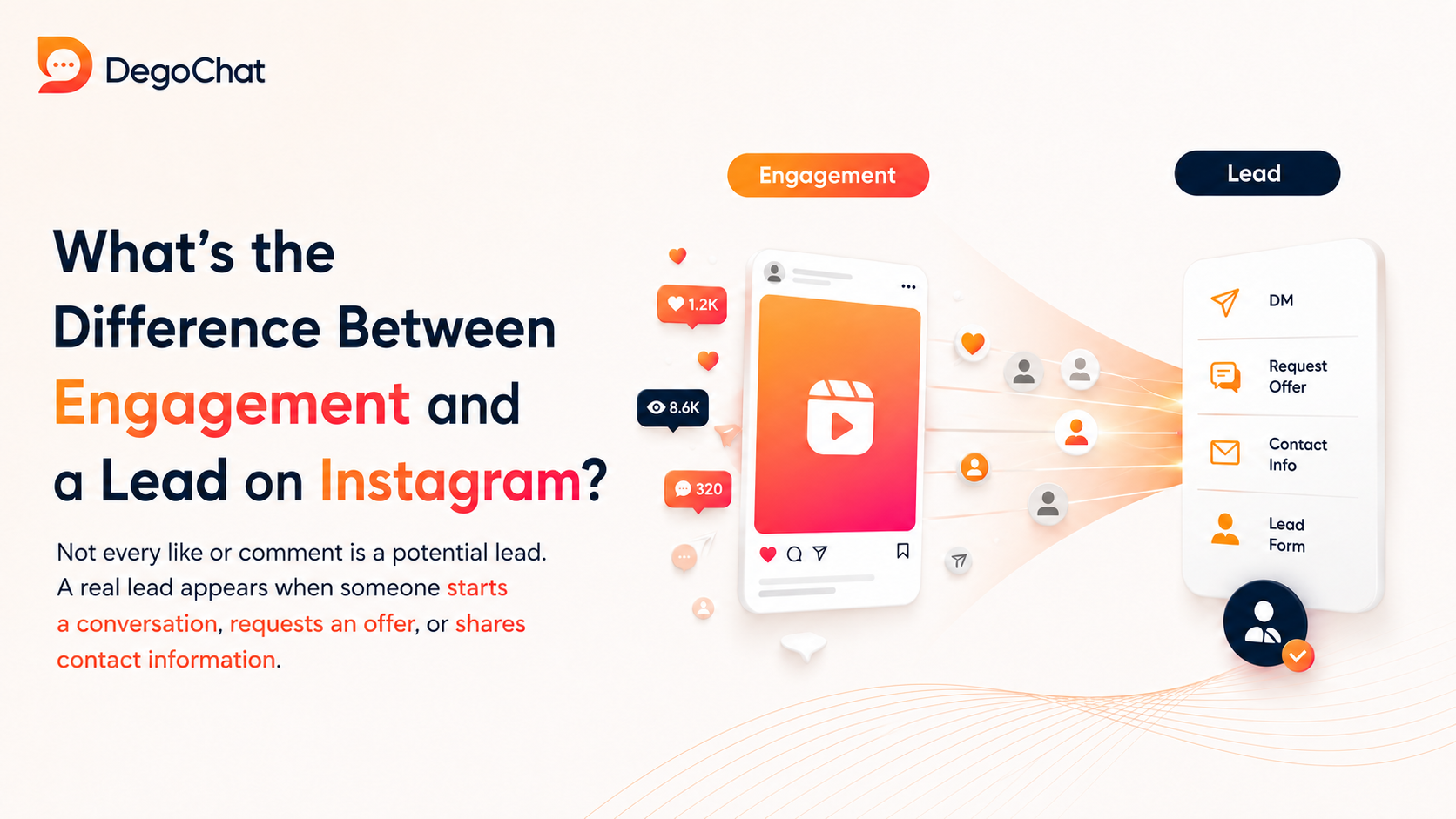
Not every like or comment is a lead, as engagement may reflect interest in the content only without a clear intention to buy or communicate. A user becomes closer to a real lead when they request an offer, start a conversation, or share contact information that allows for follow-up later. Therefore, it's essential to measure the number of conversations and collected data and the quality of interest, not just views and comments. Lead generation forms can be used to collect data directly when this path is most suitable for the campaign.
How do you convert comments into conversations that collect useful data?
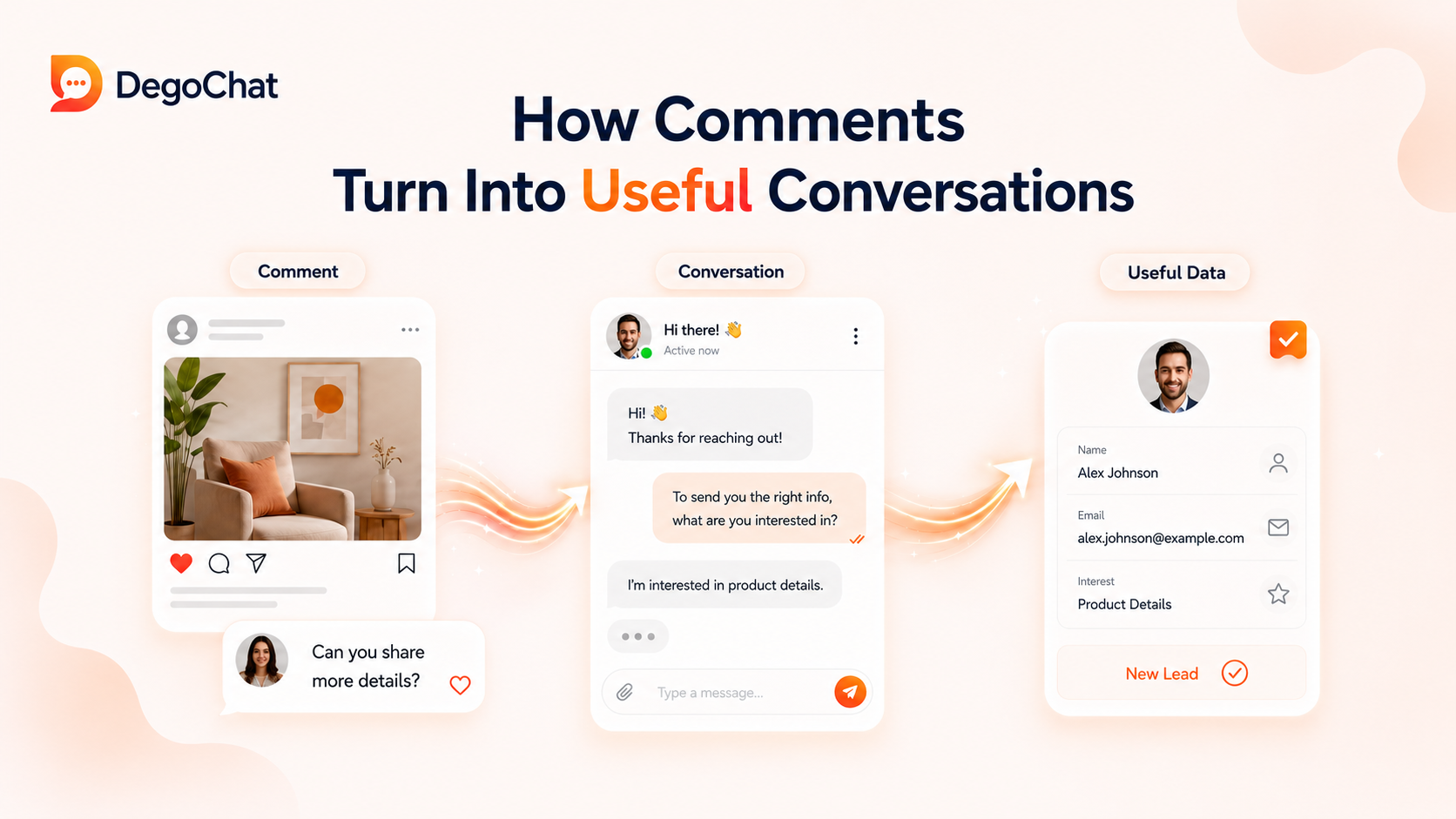
The path starts with a clear call-to-action within the content that asks the user to write a specific word in the comments to get a related guide or offer. After that, you can use private reply to the comment to start a conversation, then send the content and request email or contact information when needed. Keep the path short, explain why the data is collected, and only request necessary information so that getting the offer doesn't become a complicated experience.
When do you use free content and when do you need ads?
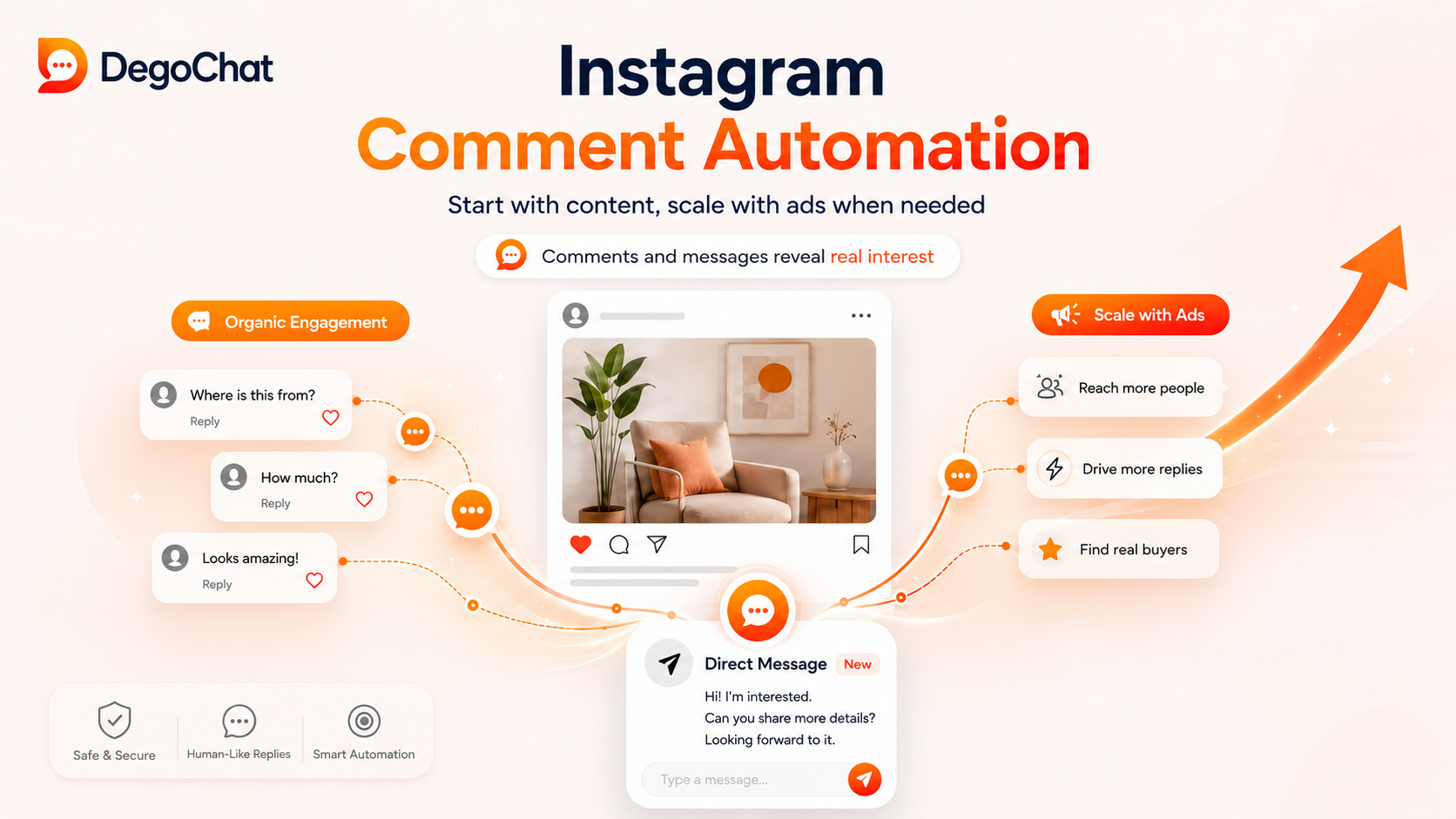
Use free content when you have an audience that interacts with your posts and you can attract interested individuals through comments and messages. Use lead generation ads when you want to reach new people quickly or collect their data through a clear form within Instagram. You can start with free content to test the idea, then fund the best offer with an ad after ensuring there's genuine interest.
Why DegoChat
DegoChat suits content creators and business owners who want to convert Instagram comments into private messages, collect email addresses, save contacts, and categorize them using tags. The control panel also helps track automation results and identify paths that achieve better engagement.
Frequently Asked Questions
What is the best way to collect leads from Instagram?
The best way is to offer content or an offer related to a clear need of your audience, then use a direct call-to-action that asks for a comment or private message. After starting the conversation, collect appropriate contact information with user consent, save the data, and categorize it so you can follow up instead of leaving it within messages only.
Do I need a large number of followers to collect leads from Instagram?
No, collecting leads does not depend solely on the number of followers, but on how well the content relates to a clear need and the presence of a suitable offer and easy call-to-action. A small account can collect good leads if its audience is genuinely interested, while a larger account may receive high engagement without collectible data.
How do I know that my Instagram lead collection path is achieving good results?
Track the number of comments converted into conversations, the number of people who shared their data, and the quality of their interest in the offer. Do not just measure engagement; compare different content and calls-to-action to know which path attracts more followable leads.
Related Articles
How to Automate Replies to Instagram Comments and Save Time Sending Messages: The Complete 2026 Guide
Sep 15, 2026
Generating Leads from Instagram, What Really Works?
Aug 18, 2026
Degochat vs ManyChat: Which One Should I Use for Instagram Automation?
Jul 6, 2026
Grow Your Account
Get ideas and updates to help you grow your Instagram account.