What Is Comment to DM Automation on Instagram and How Does It Work?
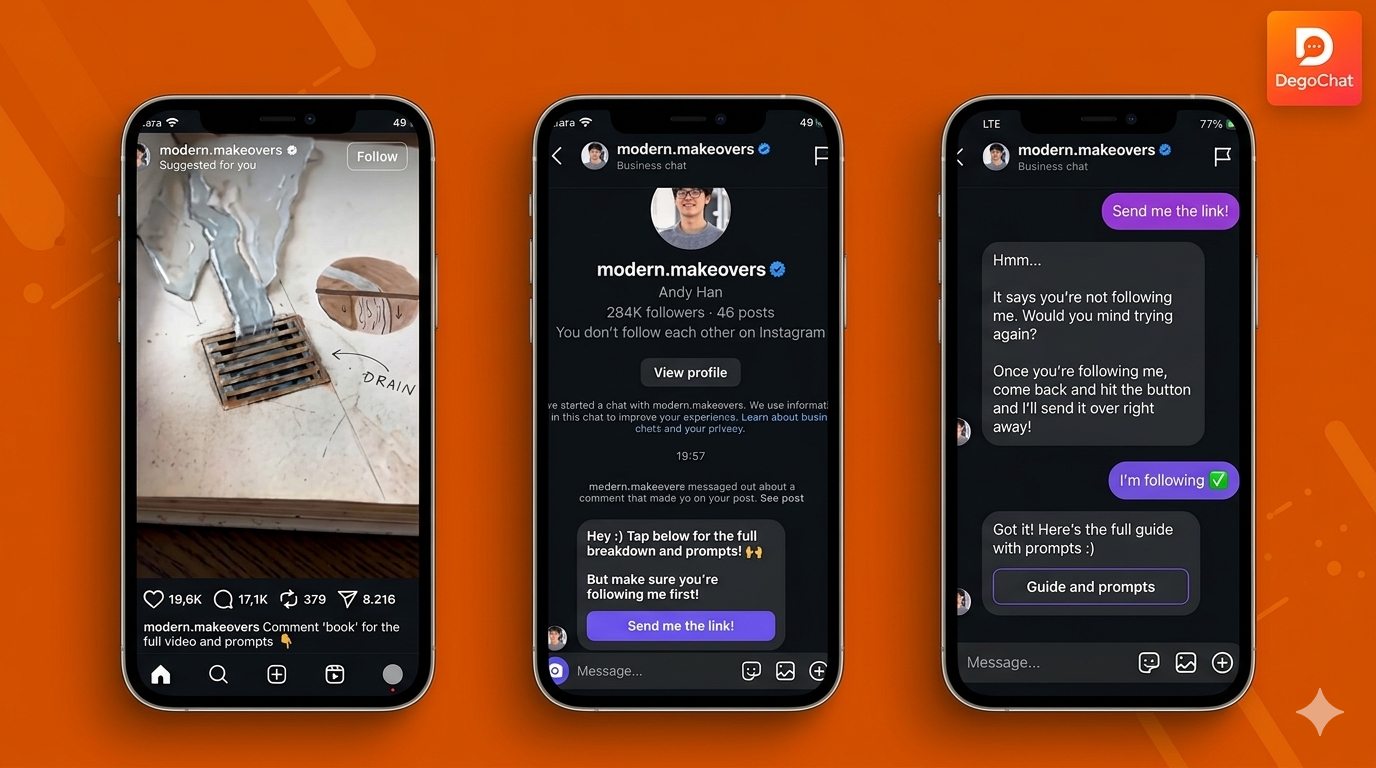
Direct Answer
Comment-to-DM automation is a feature that automatically sends a private Instagram message to anyone who comments a chosen keyword on your post or reel. It works through Meta's official Instagram Graph API, connected to a Business or Creator account. When someone types the trigger word in the comments, the tool detects it instantly and sends a DM with the link, discount, or resource you set up — turning public comments into private conversations without any manual replying.
The Problem
You post a Reel and ask people to comment a keyword to get a free guide or discount code. Within minutes you have dozens, sometimes hundreds, of comments. Replying to each one manually means opening Instagram, finding the comment, sending the DM by hand, and starting over for the next one. By the time you catch up, half the people who commented have already lost interest and moved on. This is exactly the gap comment-to-DM automation closes. Instead of you chasing every comment, the system catches the trigger word the moment it's posted and sends the message automatically — even while you're asleep or busy running your business.
Solution Steps
- 1
Connect a Business or Creator Account — Switch your Instagram account type and link it to a Facebook Page; this is required for any automation tool to use Meta's official API.
- 2
Choose Your Trigger Keyword — Pick a clear, specific word your audience will comment, like "GUIDE" or "PRICE." Avoid common words people type by accident.
- 3
Set the Public Reply — Add a short public comment reply like "Check your DM!" so the exchange looks natural, not silent.
- 4
Write the DM Message — Create the private message with the link, discount, or resource you're delivering. Add a follow-up question if you want to qualify the lead.
- 5
Add a Follow Gate (Optional) — Require the user to follow your account before the link is delivered, turning the funnel into a growth tool too.
- 6
Test and Activate — Comment on your own post first to confirm the automation fires correctly before going live with paid traffic or a launch.
Common Mistakes to Avoid
- ✕
Using a Personal Account — Many people try to set up automation while still on a personal Instagram profile. This fails because the Instagram Messaging API only works with Business or Creator accounts linked to a Facebook Page. Switch your account type first, before connecting any automation tool.
- ✕
Picking a Vague Keyword — Triggers like "info" or "yes" get typed accidentally by people unrelated to your offer, flooding your automation with irrelevant DMs. Use a specific, branded keyword tied directly to your offer, like "FREEGUIDE" or "PRICELIST."
- ✕
Expecting Instant Replies at Any Volume — Some assume automation has no limits and can handle unlimited traffic instantly. Meta's Graph API caps automated DMs at 200 per hour per account, so a viral post can create a short queue. Set expectations in your public reply, e.g. "Check your DM in the next few minutes."
When You Need a Tool
Once you're getting more than 10-15 relevant comments a day, replying manually stops being realistic — that's the point where an automation tool becomes necessary rather than a nice-to-have. A dedicated comment-to-DM tool connects to Meta's official API, detects your keyword instantly, and sends the message without you opening the app, which matters most exactly when a post goes viral and comments arrive faster than you could ever type.
Deep Dive
How the API Actually Works Behind the Scenes
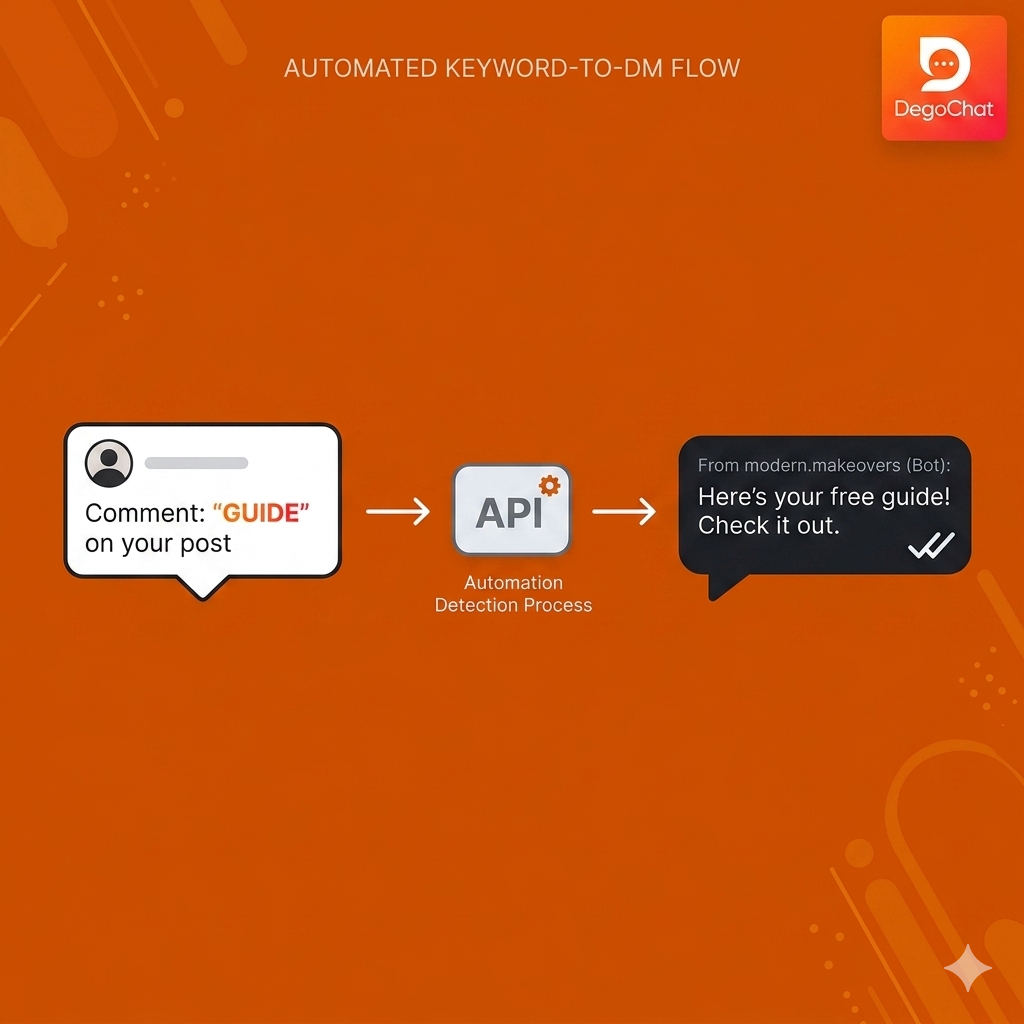
Comment-to-DM automation runs on the Instagram Graph API, which Meta provides only to Business and Creator accounts linked to a Facebook Page. Three things happen in sequence:
- Someone comments your chosen keyword on a post or reel
- The connected tool detects the keyword through the API in seconds
- The tool sends a private DM with the content you configured
platform rules shape how this works in practice:
- A 24-hour messaging window: automated DMs can only be sent after a real user action, not to people who haven't interacted recently
- A rate limit of 200 automated DMs per hour per account; if a post goes viral, extra messages queue and send once the limit resets
Public Reply vs. Private DM — The Real Difference
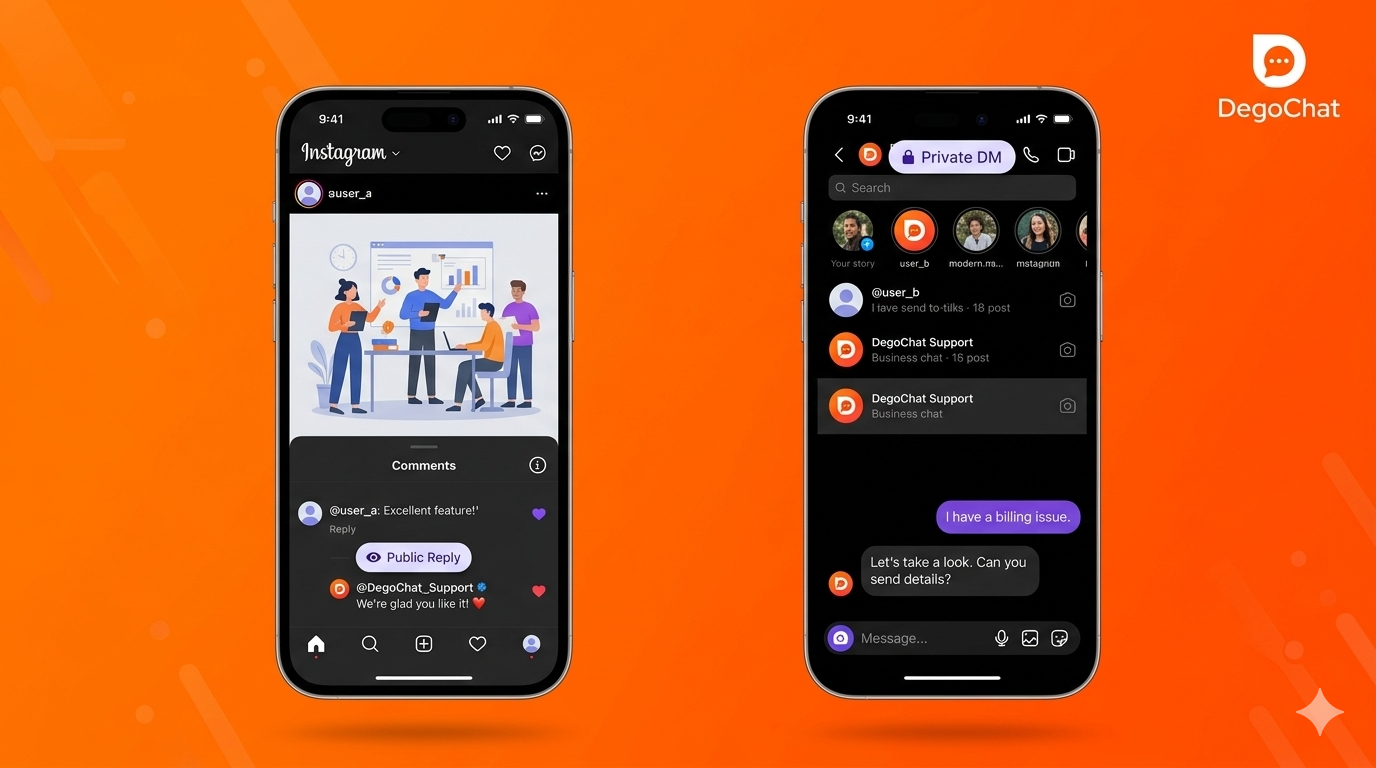
People often confuse two separate actions:
- Public reply: a visible comment posted back under the original comment, seen by anyone viewing the post
- Private DM: a message sent only to that person's inbox, invisible to everyone else
Most working setups use both together: a short public reply ("Check your DM!") confirms the interaction publicly, while the private DM actually delivers the link, code, or resource. Using only a public reply means everyone sees your offer; using only a DM with no public reply can look like nothing happened, which sometimes makes people comment again unnecessarily.
Why DegoChat
DegoChat lets you set a keyword trigger on any post or reel and automatically sends a private DM with your link, offer, or resource the moment someone comments it. It also supports follow-gated delivery, so a link only arrives after the commenter follows your account. Every person who triggers the automation is saved as a contact you can review later.
Frequently Asked Questions
Does comment-to-DM automation work on a personal Instagram account?
No. It only works on Business or Creator accounts linked to a Facebook Page, because the feature runs through Meta's official Instagram Messaging API. Personal accounts don't have access to this API. Switching account types is free and takes a couple of minutes in your settings.
Is comment-to-DM automation against Instagram's rules?
No, as long as the tool uses Meta's official API rather than scraping or logging into your account directly. Automated messaging through the official API is fully supported by Meta for Business and Creator accounts. Unofficial bots that bypass the API are what put accounts at risk of suspension.
How fast does the DM actually arrive after someone comments?
Usually within seconds, since the tool detects the keyword and sends the message instantly through the API. The only delay happens if your account hits the 200-messages-per-hour limit, in which case remaining DMs queue until it resets. For most accounts this limit is never an issue.
Can I send more than one automated DM per comment?
No. Meta's API allows only one automated private message per comment, and it must be sent within 7 days of that comment. This is a fixed platform rule, not something any tool can bypass.
What's the difference between a public auto-reply and comment-to-DM automation?
A public auto-reply posts a visible comment back under the original comment, while comment-to-DM sends a private message directly to that person's inbox. Most setups use both together — a short public reply plus the private message with the actual link or offer.
Related Articles
How to Automate Replies to Instagram Comments and Save Time Sending Messages: The Complete 2026 Guide
Sep 15, 2026
Generating Leads from Instagram, What Really Works?
Aug 18, 2026
Degochat vs ManyChat: Which One Should I Use for Instagram Automation?
Jul 6, 2026
Grow Your Account
Get ideas and updates to help you grow your Instagram account.